Mastering the Galaxy: My Guide to Star Wars Outlaws' Accessibility and Difficulty Settings
Star Wars Outlaws difficulty settings and customization options empower every gamer to create a truly personalized adventure in this iconic universe.
As a seasoned gamer diving back into the galaxy far, far away, I have to say, Star Wars Outlaws continues to impress me, even now in 2026. Its narrative and world-building are top-tier, but what really stands out is the sheer depth of its accessibility and customization options. It’s a system designed to give every player the perfect experience, though I’ll admit, the initial array of choices can be a bit overwhelming. It feels less like picking a simple "Easy" or "Hard" and more like fine-tuning the graphics on a high-end PC. So, let me walk you through how I found my perfect setup in this incredible game.
First things first, let's talk about the four core difficulty presets. Think of these as your starting templates. They are:
-
Explorer: This is your go-to if you usually play on "Story" or "Easy" modes in other games. It’s perfect for soaking in the atmosphere and narrative without too much friction.
-
Adventurer: This is the standard, balanced experience, equivalent to a "Normal" difficulty. A great starting point for most players.
-
Outlaw: Ready for a challenge? This preset is akin to "Hard" mode, testing your combat and stealth skills.
-
Scoundrel: For the masochists and experts among us, this is your "Very Hard" mode. Expect a brutal but rewarding fight for every credit.
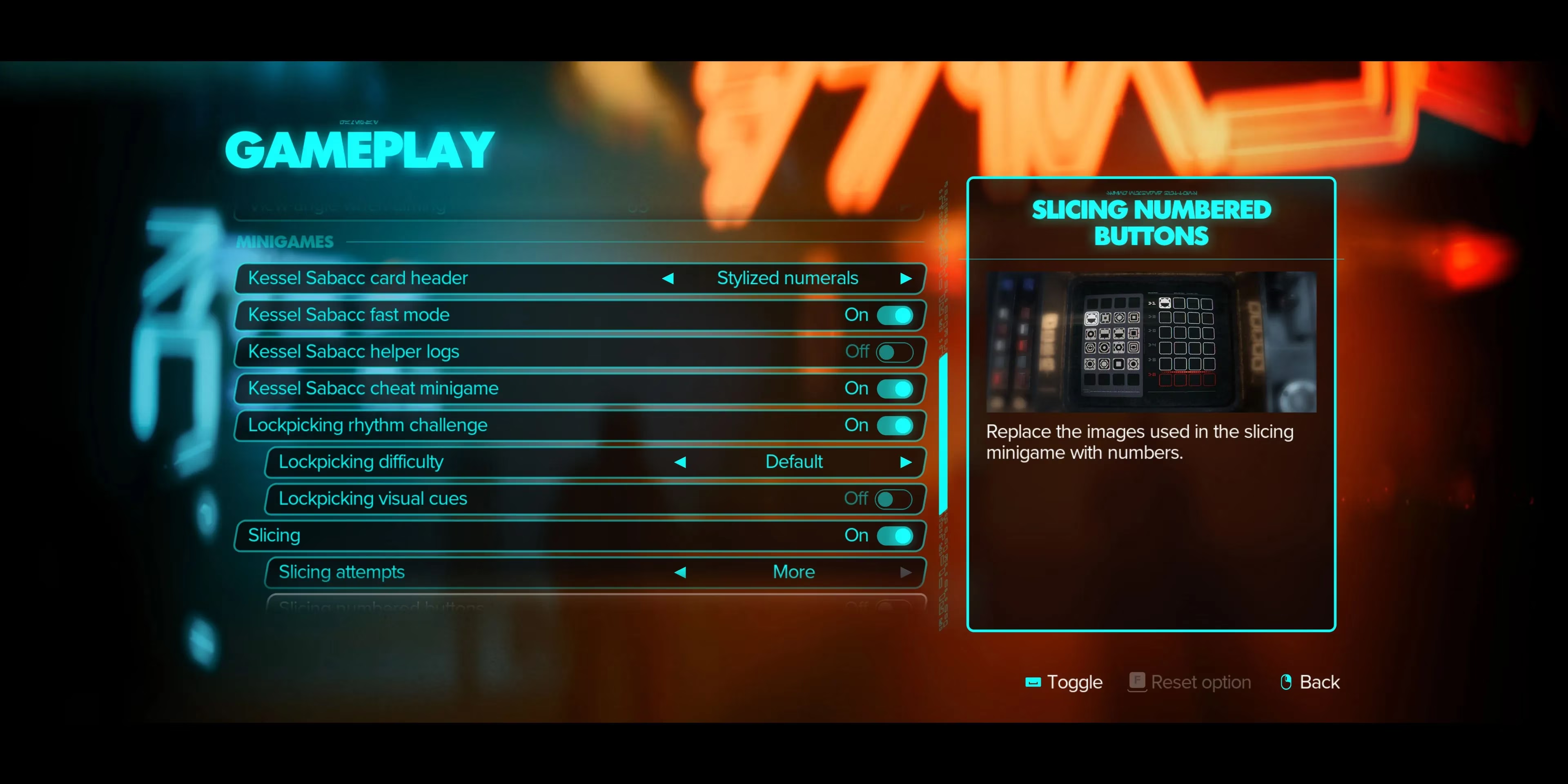
Now, here’s the beautiful part: these presets are just the beginning. Each one controls a suite of specific gameplay parameters. We're talking about:
| Parameter | What It Affects |
|---|---|
| Player Health | How much damage you can take before going down. |
| Enemy Difficulty | How tough and aggressive your foes are in combat. |
| Wanted Difficulty | How quickly the Empire or other factions hunt you down for misdeeds. |
| Lockpicking Difficulty | The complexity of the lockpicking mini-game. |
| Slicing Attempts | The number of tries you get on hacking mini-games. |
| Galactic Street Food Difficulty | The challenge level of the delightful cooking mini-games (yes, really!). |
This granularity is a game-changer. For instance, I consider myself a sharpshooter in dogfights but an absolute disaster with a lockpick. So, I started with the Adventurer preset but then dove into the custom settings. I tweaked the lockpicking difficulty down to "Explorer" level while keeping combat at "Adventurer." It created a perfectly tailored experience where I felt challenged where I wanted to be and had help where I needed it. You can do the same—maybe you're a puzzle wizard but find space battles tricky. The power is in your hands!
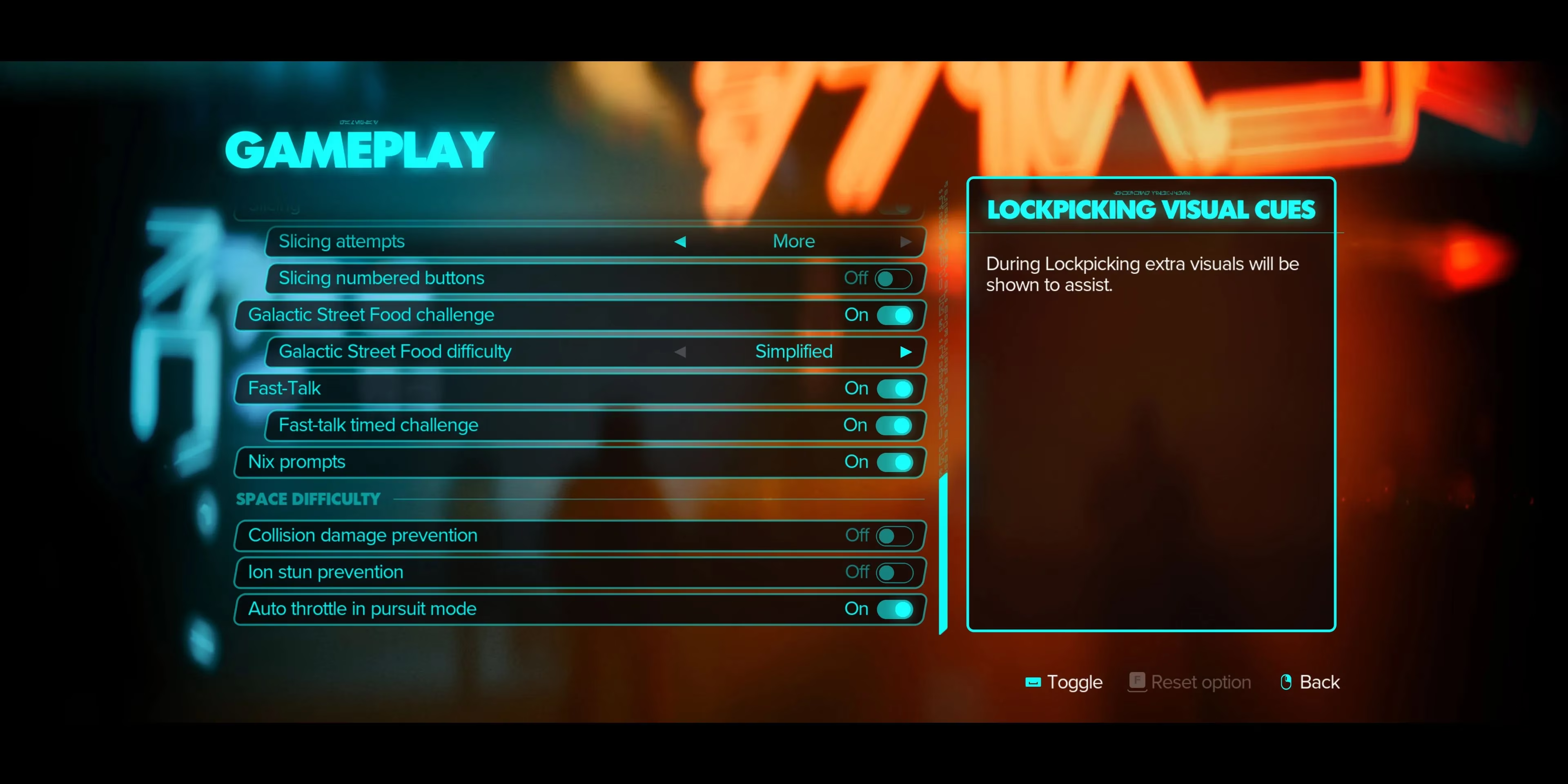
And we're not done yet! Beyond these core settings, Star Wars Outlaws hides a treasure trove of accessibility and assist options, particularly for specific gameplay loops. Don't sleep on these; they can transform frustrating segments into enjoyable ones.
For Mini-Games: If sabacc, dejarik, or any of the other galactic pastimes aren't your thing, you can often adjust their speed, complexity, or even enable options to skip or auto-succeed. No more getting stuck because you can't master a card game!
For Space Travel & Dogfighting 🚀: This is where the game truly shines for pilots of all skill levels. Buried in the Gameplay menu, you'll find options that can make the vastness of space much more navigable:
-
Collision Damage Prevention: Bump into an asteroid or space station? No problem. This can prevent accidental (and costly) damage.
-
Ion Stun Prevention: Hate getting your systems disabled by ion cannons? This option can reduce or remove that effect.
-
Auto Throttle in Pursuit Mode: A personal favorite. When chasing a target or being chased, your ship automatically manages speed, letting you focus on evasion and aiming.
Navigating this menu for the first time was like being a kid in a candy store. The sheer volume of choices is a testament to the developers' commitment to player agency. It’s not about dumbing down the experience; it’s about curating it. You remove the barriers that frustrate you, leaving only the pure enjoyment of being a scoundrel trying to make your way in the galaxy.
My final piece of advice? Don't be afraid to experiment. Start with a preset that sounds right, play a mission or two, and then fine-tune. Jump into the menus and adjust one setting at a time. The game saves your custom difficulty profile, so you can always revert or create multiple profiles for different playstyles. In 2026, with so many games vying for our attention, Star Wars Outlaws remains a benchmark for how to do player-focused design right. It hands you the keys to the Millennium Falcon and says, "You fly it your way." And that, my friends, is the mark of a truly fantastic game. Now, if you'll excuse me, I have a Kessel Run to make... on my own perfectly calibrated terms. 😎