My Galactic Quest for the Perfect Monitor: Playing Star Wars Outlaws in 2026
Star Wars Outlaws monitor guide reveals top picks for galactic immersion and gaming setup upgrades, ensuring vibrant visuals and smooth gameplay.
As a gamer who's been chasing that perfect galactic immersion since the first trailers dropped, I can tell you that playing Star Wars Outlaws in 2026 is an experience that demands the right gear. I'm Kay Vess, or at least, I get to live her life on screen—a scoundrel trying to pull off the ultimate heist between The Empire Strikes Back and Return of the Jedi. The universe Massive Entertainment built is stunning, but man, oh man, does it need a proper window. My old monitor just wasn't cutting it; the colors felt washed out, and the dark depths of space looked more like a murky gray soup. It was time for an upgrade, a serious one, to truly feel like I was flying through the Outer Rim.
After diving deep into the monitor market, I realized this isn't a one-size-fits-all situation. Your choice depends entirely on your budget, your rig's horsepower (because you need a beastly CPU and GPU to push those textures), and your personal preference. Let me break down my journey and the top contenders I found for making Outlaws look absolutely killer.
🏆 The All-Rounder Champion: MSI MAG 323UPF
This bad boy became my daily driver. It's not the flashiest or the fastest, but holy moly, does it check all the boxes. We're talking a 4K Rapid IPS panel that makes every planet and starfield pop with insane color—93.6% Adobe RGB, 95% DCI-P3 coverage! The HDR is legit, too, with VESA DisplayHDR 600 certification. For a story-driven game like Outlaws, you don't need a crazy 360Hz refresh rate; a smooth 160Hz is more than enough to keep the action fluid. With FreeSync Premium Pro, I've had zero tearing while weaving through asteroid fields. At around $530, it's a steal for a 4K experience that doesn't require selling a kidney.
💰 The Budget Hero: GIGABYTE GS32Q
Look, not everyone's got credits to burn on a high-end monitor. If you're watching your wallet, the GIGABYTE GS32Q is your best friend. This 32-inch, 2K (2560 x 1440) IPS panel delivers a solid, immersive experience for around $210. It's got a 165Hz refresh rate (overclockable to 170Hz!) and packs some neat gaming features like a crosshair overlay and Black Equalizer to spot enemies hiding in shadows. The stand is a bit basic—tilt only—but hey, for the price, you can easily slap it on a VESA arm. A solid alternative if you dig curves is the Samsung Odyssey G5, which throws in HDR10 support for a similar price.
🚀 The "Money Is No Object" Dream: ASUS ROG Swift OLED PG32UCDM
Alright, let's talk about the crème de la crème. If you want the absolute pinnacle of visual fidelity and have about $1300 to drop, the ASUS ROG Swift OLED PG32UCDM is it. This 32-inch QD-OLED monster has a fixed 4K resolution and a blistering 240Hz refresh rate. The colors? 99% DCI-P3. The blacks? So deep and true, thanks to Dolby Vision and DisplayHDR True Black 400, that flying through space feels like staring into a void—in the best way possible. The 0.03ms response time is overkill for Outlaws, but it future-proofs you for any competitive game. It even has a 90W USB-C port and a KVM switch. This monitor is an event.
🌌 The Ultrawide Immersion King: BenQ MOBIUZ EX3410R & MSI MPG 491CQP QD-OLED
Do you crave that wraparound, cockpit-like feel? Ultrawide is the way.
-
BenQ MOBIUZ EX3410R (~$950): A fantastic curved (1000R) VA panel option that won't break the bank. It has a cinematic mode that's pure magic for Outlaws' wide vistas. With a 144Hz refresh rate, HDR400, and even a 2.1 channel speaker system built-in, it's a great all-in-one immersive package.
-
MSI MPG 491CQP QD-OLED: Now, if you want to go big or go home, this 49-inch behemoth is mind-blowing. A QD-OLED panel with a 5120x1440 resolution (that's like two 2K monitors side-by-side) and a 144Hz refresh rate. The color coverage is insane, and the 0.03ms response time makes everything buttery smooth. It's a commitment in size and price, but for filling your entire peripheral vision with the Star Wars galaxy, nothing beats it.
⚖️ The Sweet Spot Specialist: LG UltraGear 32GP850-B
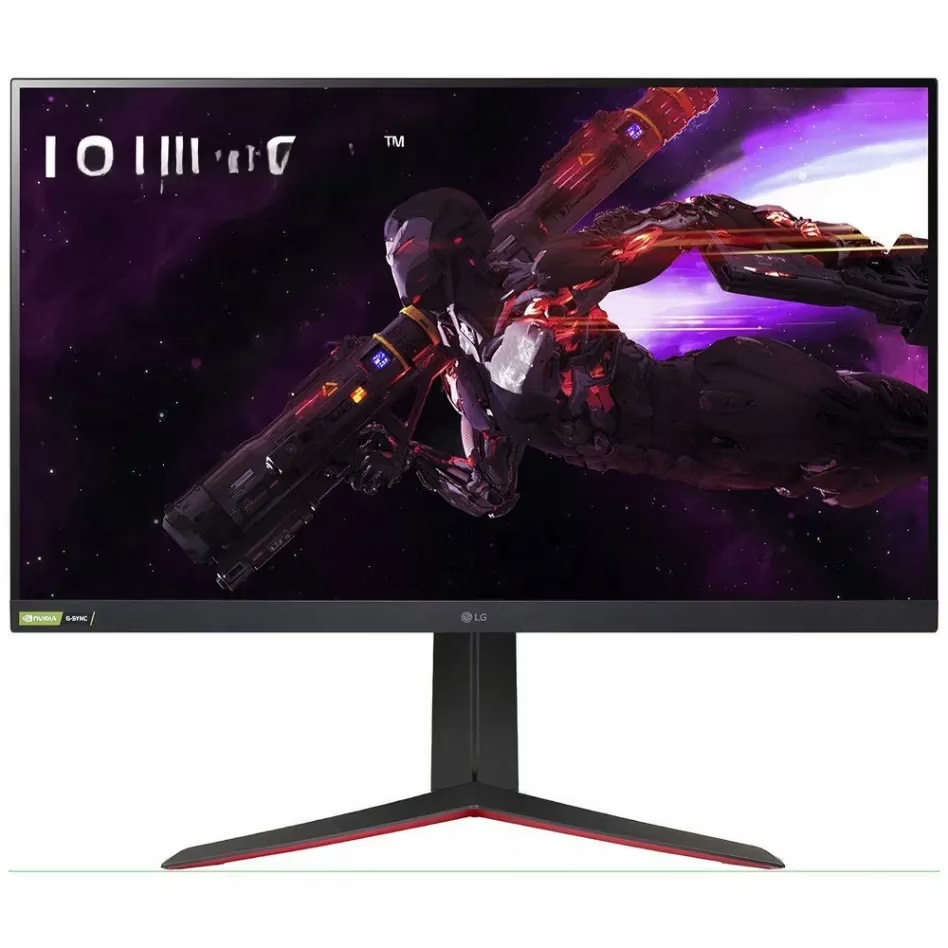
For many gamers, 2K (1440p) is the sweet spot—sharper than 1080p, far easier to run than 4K. For that, the LG UltraGear 32GP850-B is my top pick. This 32-inch IPS monitor offers a gorgeous 2560x1440 picture at 165Hz, with 98% DCI-P3 coverage and support for both G-SYNC and FreeSync Premium. At under $500, it delivers exceptional performance without demanding a top-tier GPU, making it a perfect balanced choice for Star Wars Outlaws.
🤔 My Personal Buying Guide (What I Learned)
Before you pull the trigger, here's the real talk from my deep dive:
| Feature | Why It Matters for Star Wars Outlaws | My Recommendation |
|---|---|---|
| Size & Resolution | Bigger screens need higher res to stay sharp. For immersion, go 27\"+ with at least 2K. | 32-inch at 2K or 4K is the sweet spot. |
| Refresh Rate | This is a story game, not an esports title. High FPS is nice, but consistency is key. | Aim for a stable 60+ FPS. A 144Hz-165Hz monitor is plenty. |
| Display Type | This is the big one. Panel tech defines your experience. | If budget allows, QD-OLED is king for contrast and color. IPS is the best all-rounder. VA is great for contrast on a budget. |
| HDR | Space is dark, explosions are bright. Good HDR makes a world of difference. | Look for VESA DisplayHDR 400 True Black or HDR600 as a minimum for a real impact. |
At the end of the day, playing as Kay Vess is about getting lost in the galaxy. Whether you're pinching pennies or going all-out, there's a monitor out there that can make your journey unforgettable. Just remember, the Force—and a great display—will be with you, always. Now, if you'll excuse me, I have a heist to plan on my glorious new screen.