Unlocking the Secret 'Outlaw' Graphics Preset in Star Wars Outlaws: A PC Player's Guide
Star Wars Outlaws graphics guide reveals the secret 'Outlaw' preset for PC gamers seeking ultimate visual fidelity beyond Ultra settings.
So, you've been cruising the Outer Rim in Star Wars Outlaws and, let's be honest, the 'Ultra' preset looks pretty darn good. But I get it. You're a PC gamer. You've got that hardware, that itch to push things to the absolute limit, and you're wondering, 'Can this look even better?' Well, my friend, you've come to the right place. The answer is a resounding yes, but there's a catch—or should I say, a secret. Just like Avatar: Frontiers of Pandora had its 'Unobtanium' mode, Outlaws has its own hidden graphical beast, aptly named the 'Outlaw' preset. Buckle up, because we're about to go beyond the in-game menus.
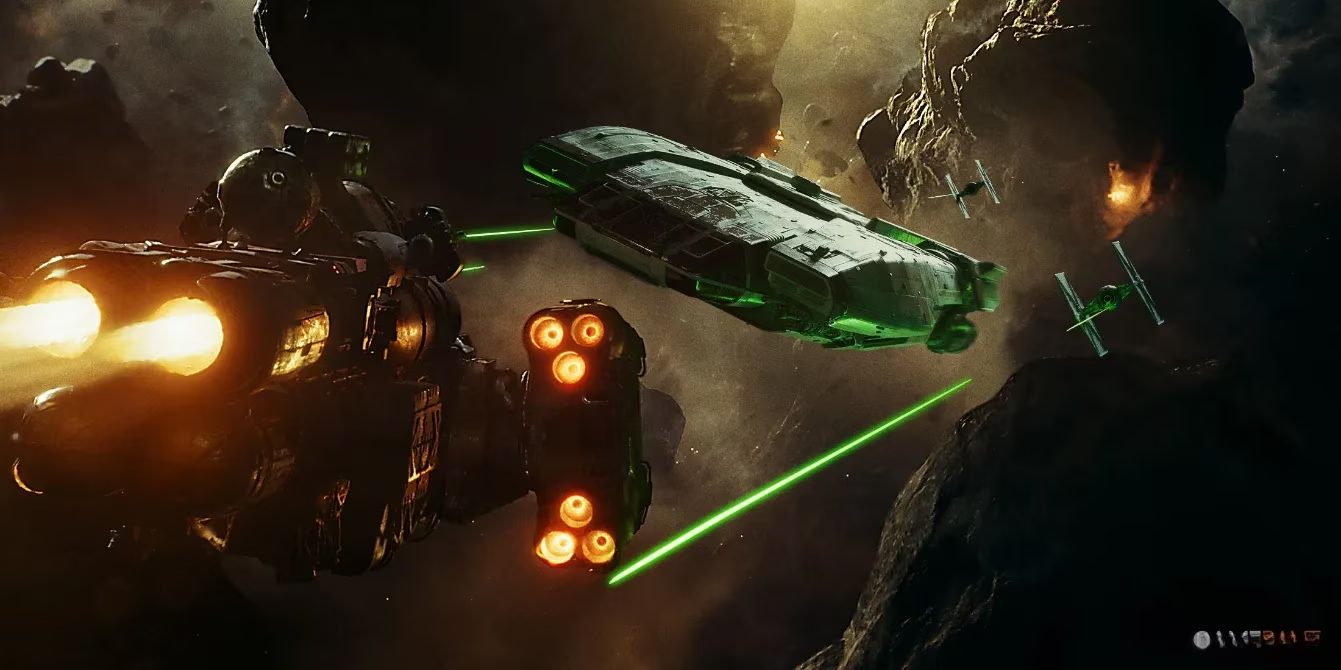
First things first, a reality check. This 'Outlaw' preset is exclusive to PC. Sorry, console folks on Xbox and PlayStation—this one's not for you, and for good reason. This setting is an absolute resource hog. It's the kind of thing that makes even high-end GPUs sweat. Think of it less as a 'playable' setting for 2026 and more as a future-proofing marvel for capturing insane screenshots in Photo Mode or for when GPUs in 2028 finally catch up. But hey, if you're the type who loves to live on the edge of graphical fidelity, let's get into the nitty-gritty of unlocking it.
How to Unlock the 'Outlaw' Preset: Step-by-Step
Unlocking this secret isn't done in-game. Nope, you've got to get your hands a little dirty in the Ubisoft Connect client. Don't worry, it's a piece of cake.
-
Fire Up Ubisoft Connect: You know the drill. Open the client formerly known as Uplay.
-
Find Your Game: Head to your library, locate Star Wars Outlaws, and give it a right-click.
-
Dive into Properties: Hover over the 'Manage' option and then click on 'Properties.'
-
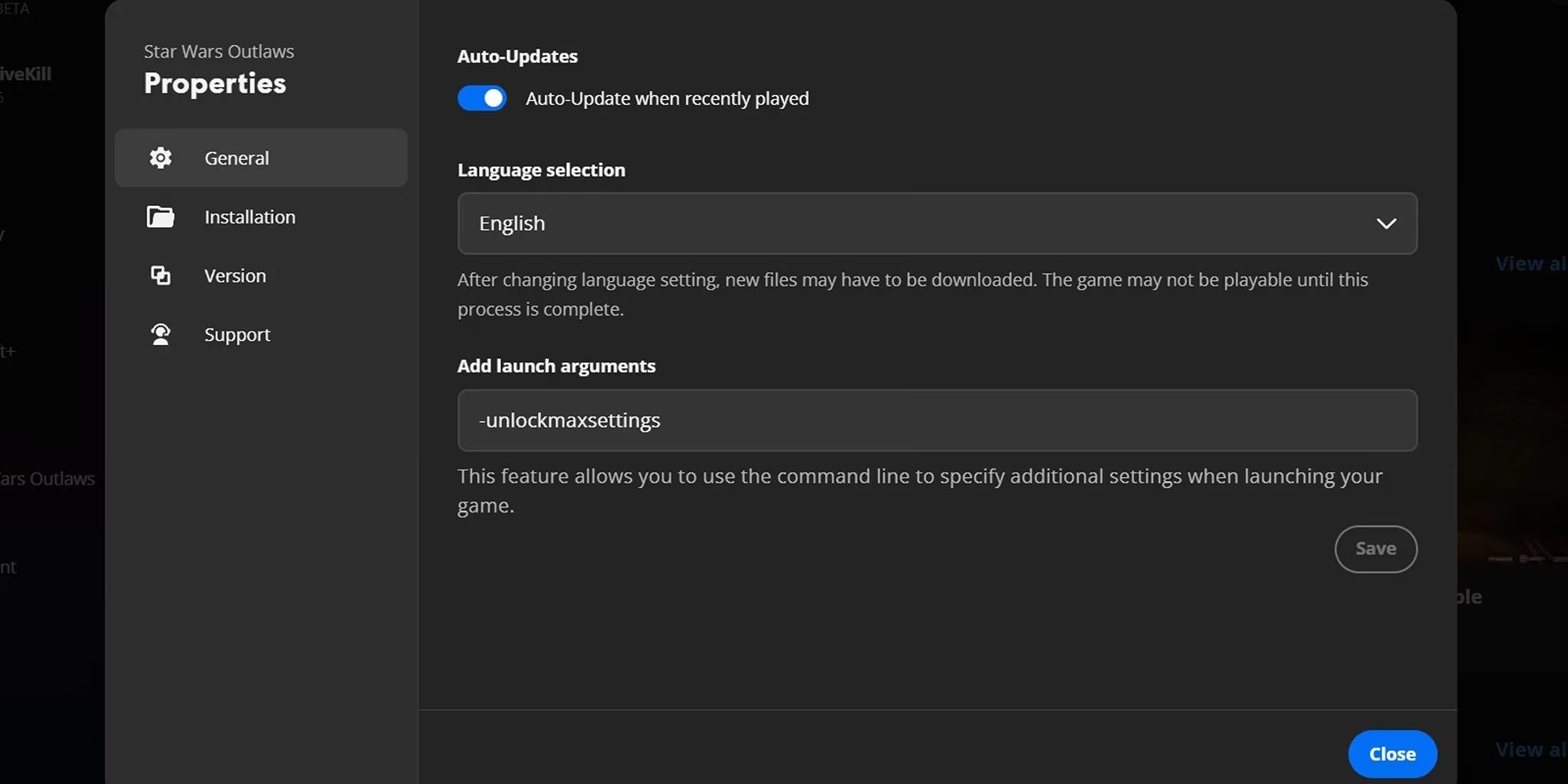
The Magic Command: Make sure you're on the 'General' tab. You'll see a text box labeled 'Add launch arguments.' This is where the magic happens. Type the following command exactly as shown (no quotes!):
-unlockmaxsettings -
Save and Exit: Click 'Save,' then close the window. Boom, the hard part is over.
Now, for the fun part:
-
Launch Star Wars Outlaws.
-
Head to Settings > Graphics.
-
Look for the 'Quality' preset dropdown. You should now see a new, glorious option: 'Outlaw.' Select it.
-
Crucially, press 'G' to save the changes (the game doesn't always make this obvious!).
And that's it! Load up your save and prepare to see the galaxy in a whole new, incredibly demanding light.
Performance Reality Check: Is It Worth It?
Let's not sugarcoat it. This setting is called 'Outlaw' because it's basically wanted by the GPU police for crimes against your frame rate. During my own testing, the performance hit was... significant.
Here’s a quick comparison from my rig (AMD Radeon RX 7900 GRE, 1080p):
| Graphics Preset | Average Frame Rate (FPS) | Playability Verdict |
|---|---|---|
| Ultra | ~59 FPS | Smooth sailing! 🚀 |
| Outlaw | ~25 FPS | A cinematic slideshow 🎞️ |
Yeah, you read that right. We're talking about a massive drop. This isn't for smooth gameplay; it's for bragging rights and poster-worthy screenshots.
Even the mighty RTX 4090, the king of 2024, gets humbled by this preset. Hitting a stable 60 FPS at 4K? Forget about it. Even at 1440p, it's a struggle. The only scenario where a 4090 might barely push past 60 FPS is at 1080p—which, let's be real, is a bit of a weird flex for a card of that caliber.
So, Who Is This For? 🤔
Let's break it down:
-
The Screenshot Artist 📸: If your primary goal is to use Photo Mode to create absolutely stunning, detail-packed images that look like they're ripped straight from a live-action show, this is your playground.
-
The Future-Proof Enthusiast 🔮: You've got a top-tier rig now, and you want to see what the game could look like for players in, say, 2028. It's a cool tech demo baked into the game.
-
The 'Because It's There' Crowd 🏔️: You just have to see it, frame rate be damned. I get it. No judgment here.
For everyone else—stick with 'Ultra' or even the 'Optimized' setting. The 'Ultra' preset in Star Wars Outlaws is already a visually impressive experience that won't melt your PC. The 'Optimized' setting uses smart upscaling to give you a great balance of looks and performance. Honestly, for most players just wanting to enjoy Kay Vess's story, those are the sweet spots.
In the end, unlocking the 'Outlaw' preset is a neat little secret that shows Ubisoft Massive's commitment to pushing graphical boundaries. It's a love letter to PC hardware enthusiasts and a glimpse into the future of game visuals. Just remember to switch back to 'Ultra' when you actually want to, you know, play the game without it feeling like a powerpoint presentation. May the frames be with you... occasionally.